
How it looks in the platform
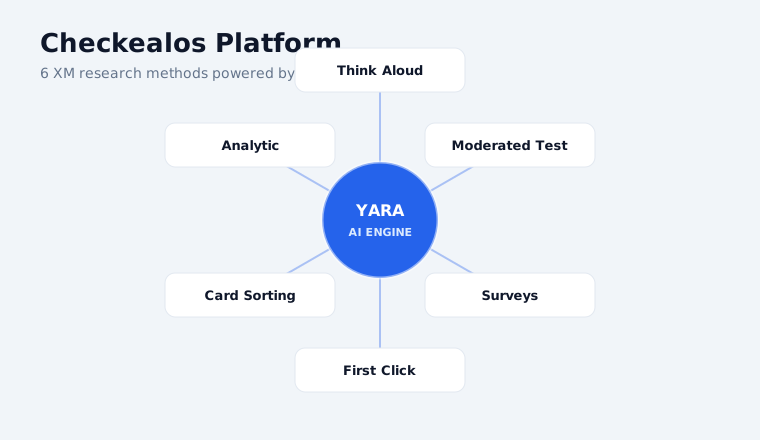
The platform
Studies, panel and analysis in one place.
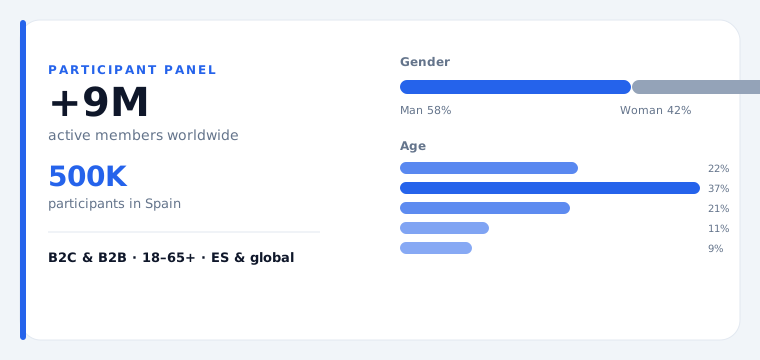
The panel
Qualified testers by country, language and profile.
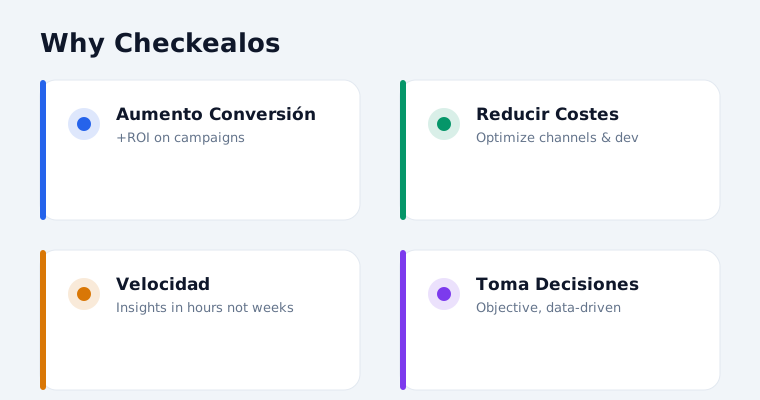
The results
Metrics comparable with your previous studies.
What you will get
METHODOLOGY: Moderated User Interviews DIMENSION: SX (Service Experience) USE CASE: Customer care DEPARTMENT: Customer Experience (CX) ANALYSIS: Statistical analysis + thematic coding OUTPUT: Actionable insights report with prioritized recommendations TEMPLATE: Auditoría de Reseñas de Google Maps para Servicios Locales (Service Experience)
What is this template?
With Auditoría de Reseñas de Google Maps para Servicios Locales (Service Experience), organizations gain visibility into customer care and support within service experience. Using Moderated User Interviews, this template enables Customer Experience to identify gaps, prioritize actions, and track progress.
Purpose: Enable Customer Experience to run a complete Moderated User Interviews cycle on customer care and support, producing evidence-based recommendations and measurable outcomes.
Why it matters in Service Experience
In Service Experience the decisive moments are the ones that happen when something goes wrong. This study measures support, field and self-service quality exactly there, where loyalty is won or lost.
Problem it solves
Disconnected data sources around customer care and support prevent Customer Experience from seeing the full picture and making informed decisions.
Proposed solution
Use Auditoría de Reseñas de Google Maps para Servicios Locales (Service Experience) to create a single source of truth for customer care and support. The Moderated User Interviews methodology aligns Customer Experience around shared metrics and priorities.
Study tasks
-
01
Step 1
Recruit 8–12 participants matching "Auditoría de Reseñas de Google Maps para Servicios Locales (Service Experience)" profile. Screen for diversity in role, experience, and tech comfort within Customer Experience.
-
02
Step 2
Prepare discussion guide: 5 core questions, 3 probes, 1 projective exercise on customer care and support. Share consent forms 48h prior.
-
03
Step 3
Set up recording (video + audio + screen). Test platform 24h before first session. Prepare backup dial-in.
-
04
Step 4
Conduct 45–60 min sessions. Use open-ended exploration, think-aloud for tasks, close with reflections on customer care and support.
-
05
Step 5
Write field notes after each session: key quotes, behavioral observations, emotional peaks/valleys.
-
06
Step 6
Code transcripts using affinity diagramming. Cluster into 4–6 themes. Second coder for reliability.
-
07
Step 7
Synthesize findings into a journey map: touchpoints, pain points, delight moments, opportunities for customer care and support.
-
08
Step 8
Present with 3–5 min video highlight reel. Include verbatim quotes and prioritized design recommendations.
How to prepare it
Briefing, sample and screening criteria
Briefing
Define the goal in one sentence before touching the template: which decision depends on this study. In Auditoría de Reseñas de Google Maps para Servicios Locales (Service Experience) the goal is Enable Customer Experience to run a complete Moderated User Interviews cycle on customer care and support, producing evidence-based recommendations and measurable outcomes. That sentence is the filter for everything else.
Muestra
For Moderated User Interviews we recommend 200-400 participants and a duration of 5-10 minutes. In the Checkealos panel we recruit by country, language, device and professional profile, so your sample arrives pre-qualified.
Criterios
Write your screening criteria in positive form (who DOES fit) and negative form (who would contaminate the sample). Add one control question: if the participant fails it, the response stays out of the analysis.
How to analyse it
Metrics and how to read them
Metricas
This study returns: NPS, CSAT, CES, segment breakdown, response rate. Every metric is computed the same way across all Moderated User Interviews studies, so you can compare against your own history and against sector benchmarks.
Interpretar
Never read one metric in isolation: cross success with time and with perceived effort. High success with high effort means a flow that works only through sheer user stubbornness; low success with short times usually means an expectation problem, not a design problem.
Best practice and common mistakes
Best practice
- Run a pilot with 3-5 participants before opening the full sample.
- Write tasks as goals, not instructions (“get the receipt”, not “click the blue button”).
- Record a baseline metric before the change so you can measure the improvement.
- Keep the verbatim quotes: those are the ones that convince a board.
- Close the loop: share what changed after the study.
Common mistakes
- Asking for opinion instead of measuring behaviour.
- Recruiting colleagues as if they were real users.
- Changing several things at once and not knowing what worked.
- Leaving the sample open “until we have enough” and mixing waves.
- Shipping the report without a decision assigned to each finding.
Sample tasks and questions
Ready-to-copy examples for your study
Example 1
Recruit 8–12 participants matching "Auditoría de Reseñas de Google Maps para Servicios Locales (Service Experience)" profile. Screen for diversity in role, experience, and tech comfort within Customer Experience.
Example 2
Prepare discussion guide: 5 core questions, 3 probes, 1 projective exercise on customer care and support. Share consent forms 48h prior.
Example 3
Set up recording (video + audio + screen). Test platform 24h before first session. Prepare backup dial-in.
Example 4
Conduct 45–60 min sessions. Use open-ended exploration, think-aloud for tasks, close with reflections on customer care and support.
Use cases by department
Who uses this template inside the company
Customer Experience (CX)
Customer care
Support
Customer care
Operations
Customer care
Field service
Customer care
Customer care
Customer care
Cause & effect analysis
Cause: Infrequent measurement of customer care and support. Effect: Issues are detected too late, requiring costly remediation and damaging Service Experience reputation.
Template data
Dimension
Service Experience (SX)
Methodology
Moderated User Interviews
Use case
Customer care
Department
Customer Experience (CX)
Category
CXM03: Service Operations & Customer Support
What this template includes
Excel template
The study pre-built: tasks, screening criteria and metrics, ready to edit.
Session script
Instructions and script for the participant, aligned with the methodology.
Analysis template
Results dump with metrics computed and comparable.
Recruitment
Access to the tester panel by country, language and profile.
Related templates
Patient experience feedback (Service Experience)
Auditoría de Resolución de Quejas en Trustpilot (Service Experience)
Diagnóstico de la Experiencia de Soporte al Cliente en Compras en Vivo en TikTok Live: Customer Support (Survey)
Optimizing Customer Support: Métrica Oficial Checkealos: Customer Effort Score (CES) (Survey)
Frequently asked questions
How many participants do I need?
For Moderated User Interviews we recommend 200-400 participants. That is the point where the signal stabilises without inflating cost.
How long does the study take?
The session lasts 5-10 minutes per participant. Recruitment and field closure usually complete within 48-72 hours.
Can I use my own panel?
Yes. You can invite your own base or use the managed Checkealos panel; the template and the metrics are identical either way.
Which metrics will I get?
NPS, CSAT, CES, segment breakdown, response rate. They are computed automatically and stay comparable with your previous studies.
Do I need a prototype or is the live product fine?
Both work. For Moderated User Interviews what matters is that the participant can complete the task unassisted, in prototype or in production.
How does this fit the six dimensions?
This study sits in Service Experience. Results feed the same data model as the other dimensions, so they can be crossed with what happens elsewhere.
Customise and launch this template
Edit the fields for your case and send it: we start recruitment.
Shall we run this study with your panel?
Download the template, adjust it and we will launch it with qualified testers.
Request a Demo